MITRA MANDAL GLOBAL NEWS

New Device Quickly Detects Harmful Bacteria in Blood

Authentic news,No fake news.

23-Mar-2020 6:00 AM EDTby Rutgers University-New Brunswick
Newswise — Engineers have created a tiny device that can rapidly detect harmful bacteria in blood, allowing health care professionals to pinpoint the cause of potentially deadly infections and fight them with drugs.
The Rutgers coauthored study, led by researchers at Rochester Institute of Technology, is published in the journal ACS Applied Materials & Interfaces.

“The rapid identification of drug-resistant bacteria allows health care providers to prescribe the right drugs, boosting the chances of survival,” said coauthor Ruo-Qian (Roger) Wang, an assistant professor in the Department of Civil and Environmental Engineering in the School of Engineering at Rutgers University–New Brunswick.

Drug-resistant bacteria, or super-bugs, are a major public health concern. Globally, at least 700,000 people die each year as a result of drug-resistant infections, including 230,000 deaths from multidrug-resistant tuberculosis. That number could soar to 10 million deaths a year by 2050 if no action is taken, according to a 2019 report.

Based on a new approach, the tiny new device rapidly isolates, retrieves and concentrates target bacteria from bodily fluids. It efficiently filters particles and bacteria, capturing about 86 percent of them. The nano-device has magnetic beads of different sizes that are designed to trap, concentrate and retrieve Escherichia coli (E. coli) bacteria. The small spaces between the beads are used to isolate bacteria in the device.

The inexpensive, transparent device is easy to fabricate and operate, making it ideal for detecting disease-causing organisms in laboratory and health care settings, according to the study. The research team is working to perfect the device and plans to add multiple devices onto a small chip and explore scaling up testing in the field.

Researchers at the University of Alabama, Tuscaloosa; Carollo Engineers, Inc.; Tsinghua-Berkeley Shenzhen Institute in China; and The State University of New York, Binghamton contributed to the study.

UAH joins supercomputing effort to find drugs effective against COVID-19

Authentic news,No fake news.

23-Mar-2020 8:45 AM EDTby University of Alabama Huntsville
Newswise — HUNTSVILLE, Ala. (March 23, 2020) – A professor in the Department of Biological Sciences at The University of Alabama in Huntsville (UAH) is part of an effort led by Oak Ridge National Laboratory (ORNL) in Tennessee that applies the power of supercomputers to screen compounds for effectiveness against the pandemic COVID-19 virus.
Dr. Jerome Baudry, the Ms. Pei-Ling Chan Chair in the Department of Biological Sciences, says his lab in UAH’s Shelby Center for Science and Technology is involved in applying ORNL’s SUMMIT, the most powerful supercomputer on the planet, to examine existing compounds that may have COVID-19 efficacy.
“We have several daily teleconferences with all of us involved, and that’s about 30 people so far. It is a non-stop effort, pretty much 24/7,” Dr. Baudry says.
“We are at this point focusing on repurposing existing drugs,” he says. “That is, to take existing drugs from the shelf and find which ones are active against either the virus itself or can help in treating or mitigating the effects of infection in the severe cases.”
Compounds under review include drugs already available with safe profiles, as well as natural products. Compounds identified as possible future drugs will also be studied. In the initial stage, no new drugs will be under development.“But what we can do computationally is to look at the entire proteome of the virus,” Dr. Baudry says. “We can use high performance computers and supercomputers to look at the entire genome of the virus, see everything the virus’ genome is making and build computational models of all these proteins, and repeat the repurposing process for each of these proteins.”
Scientists in the group are starting with some proteins on the surface of the virus in an effort to prevent it from infecting human cells.
“We are also looking at some of the proteins that allow the virus to replicate itself when it is inside the human cell in order to block this process, a bit like for many anti-AIDS drugs,” Dr. Baudry says. “But we will expand to pretty much everything in the virus’ genome that can be targeted by a drug.”
The research group is its early stages but SUMMIT has performed the first calculations.
“We can perform a few millions of these virtual screening calculations per day on this kind of machine,” Dr. Baudry says. “Now we are expanding this computational effort and we are going to use ‘all hands on deck’ by using some of our UAH computers, as well.”
In the Baudry Lab, a high-performance computer cluster built in collaboration with UAH’s Office of Information Technology will perform several thousand virtual screenings per day.
“We do have the expertise at UAH, in particular in my lab. I am working with a senior researcher in my lab, Dr. Kendall Byler, who is also very experienced in this field,” he says. “And we do have good computational resources at UAH that we can mobilize for this effort.”
Alabama’s biotech industry, particularly in North Alabama, has all the expertise that may be needed, Dr. Baudry says.
“We also hope to work with the Alabama Supercomputer Center in Huntsville to ‘level up’ our computations as well,” he says. “If we could run on the Alabama Supercomputing Center, we could perform several hundred thousand virtual screenings a day.”
That would allow the group’s researchers to use ORNL’s giant computer to generate the very heavy calculations and then sub-calculations could be performed on UAH and Alabama high-performance and supercomputers.
Supercomputing lets the scientists process a given compound computationally in a couple of minutes.
“That’s about the time it takes to look at a possible drug and calculate, computationally, if this possible drug can stick to one of the proteins of the virus,” Dr. Baudry says. “If our calculations suggest that it could, we identify it as one of the compounds that we pass on to the groups that will be doing the experimental testing. And we repeat that for many of the virus proteins, and many different shapes of these proteins.”
The process would take several hundred years to perform without supercomputing and cost billions of dollars.
“On supercomputers, we can cut that down to about six months,” Dr. Baudry says. “But our colleagues who perform the experimental tests can start as soon as we give them interesting molecules to test so we don’t have to wait six months to start suggesting good drug candidates.”
Experimental researchers will be immediately notified each time the supercomputing group finds a potential drug candidate without waiting for the many other millions of calculations to be performed on the other drug candidates.
“Since we are working with virtual molecules and virtual viruses, we are not in danger of being infected,” he says. “Our collaborators in Memphis who will be doing the experimental testing down the road are of course well-equipped to work safely.”
Researchers begin with databases created about existing drugs, natural products or molecules that may not have been tested yet as drugs. There are thousands of them. Then they build virtual models of these compounds using the laws of physics and chemistry to calculate their composition and arrive at a very detailed computational description.
“Then we look at the virus’ genome,” Dr. Baudry says. “We have to build models for all the virus’ proteins, again describing all the atoms, their properties, how they move together, etc.”
At that stage the supercomputers step in to compute how the atoms of a possible drug will interact with the atoms of the virus’ proteins.
“It’s like doing a test tube experiment to see if a possible drug will bind to the protein, except that we perform this in a virtual test tube using our computers,” he says.
Prior to joining UAH, Dr. Baudry spent 10 years at the University of Tennessee-Knoxville and ORNL in the Center for Molecular Biophysics that is leading this effort. While there, he developed and co-developed many of the computational tools that are used in giant virtual screening calculations.
“Dr. Jeremy Smith, the lead there, invited me to join on this project since I was very familiar with the processes involved, and I of course accepted,” Dr. Baudry says. “It is a great team and we all work very well together.”
In these early stages, ORNL and other members are relying on their individual internal operating funds for the effort.
“ORNL is applying for its own internal Department of Energy funding, but that will only go for ORNL groups,” says Dr. Baudry. “We will all apply together for further funding, either individually or collectively, or both.”

How people investigate — — fake news on Twitter and Facebook

Authentic news,No fake news.

Newswise — Social media platforms, such as Facebook and Twitter, provide people with a lot of information, but it's getting harder and harder to tell what's real and what's not. 
Researchers at the University of Washington wanted to know how people investigated potentially suspicious posts on their own feeds. The team watched 25 participants scroll through their Facebook or Twitter feeds while, unbeknownst to them, a Google Chrome extension randomly added debunked content on top of some of the real posts. Participants had various reactions to encountering a fake post: Some outright ignored it, some took it at face value, some investigated whether it was true, and some were suspicious of it but then chose to ignore it. These results have been accepted to the 2020 ACM CHI conference on Human Factors in Computing Systems.
"We wanted to understand what people do when they encounter fake news or misinformation in their feeds. Do they notice it? What do they do about it?" said senior author Franziska Roesner, a UW associate professor in the Paul G. Allen School of Computer Science & Engineering. "There are a lot of people who are trying to be good consumers of information and they're struggling. If we can understand what these people are doing, we might be able to design tools that can help them."
Previous research on how people interact with misinformation asked participants to examine content from a researcher-created account, not from someone they chose to follow.
"That might make people automatically suspicious," said lead author Christine Geeng, a UW doctoral student in the Allen School. "We made sure that all the posts looked like they came from people that our participants followed." 
The researchers recruited participants ages 18 to 74 from across the Seattle area, explaining that the team was interested in seeing how people use social media. Participants used Twitter or Facebook at least once a week and often used the social media platforms on a laptop.
Then the team developed a Chrome extension that would randomly add fake posts or memes that had been debunked by the fact-checking website Snopes.com on top of real posts to make it temporarily appear they were being shared by people on participants' feeds. So instead of seeing a cousin's post about a recent vacation, a participant would see their cousin share one of the fake stories instead.
The researchers either installed the extension on the participant's laptop or the participant logged into their accounts on the researcher's laptop, which had the extension enabled. The team told the participants that the extension would modify their feeds — the researchers did not say how — and would track their likes and shares during the study — though, in fact, it wasn't tracking anything. The extension was removed from participants' laptops at the end of the study.
"We'd have them scroll through their feeds with the extension active," Geeng said. "I told them to think aloud about what they were doing or what they would do if they were in a situation without me in the room. So then people would talk about 'Oh yeah, I would read this article,' or 'I would skip this.' Sometimes I would ask questions like, 'Why are you skipping this? Why would you like that?'"
Participants could not actually like or share the fake posts. On Twitter, a "retweet" would share the real content beneath the fake post. The one time a participant did retweet content under the fake post, the researchers helped them undo it after the study was over. On Facebook, the like and share buttons didn't work at all.
After the participants encountered all the fake posts — nine for Facebook and seven for Twitter — the researchers stopped the study and explained what was going on.
"It wasn't like we said, 'Hey, there were some fake posts in there.' We said, 'It's hard to spot misinformation. Here were all the fake posts you just saw. These were fake, and your friends did not really post them,'" Geeng said. "Our goal was not to trick participants or to make them feel exposed. We wanted to normalize the difficulty of determining what's fake and what's not."
The researchers concluded the interview by asking participants to share what types of strategies they use to detect misinformation.
In general, the researchers found that participants ignored many posts, especially those they deemed too long, overly political or not relevant to them.
But certain types of posts made participants skeptical. For example, people noticed when a post didn't match someone's usual content. Sometimes participants investigated suspicious posts — by looking at who posted it, evaluating the content's source or reading the comments below the post — and other times, people just scrolled past them.
"I am interested in the times that people are skeptical but then choose not to investigate. Do they still incorporate it into their worldviews somehow?" Roesner said. "At the time someone might say, 'That's an ad. I'm going to ignore it.' But then later do they remember something about the content, and forget that it was from an ad they skipped? That's something we're trying to study more now."
While this study was small, it does provide a framework for how people react to misinformation on social media, the team said. Now researchers can use this as a starting point to seek interventions to help people resist misinformation in their feeds.
"Participants had these strong models of what their feeds and the people in their social network were normally like. They noticed when it was weird. And that surprised me a little," Roesner said. "It's easy to say we need to build these social media platforms so that people don't get confused by fake posts. But I think there are opportunities for designers to incorporate people and their understanding of their own networks to design better social media platforms."
Savanna Yee, a UW master's student in the Allen School, is also a co-author on this paper. This research was funded by the National Science Foundation.
###
Grant number: CNS-1651230

How to Download Anything on the Web for Free:

Authentic news,No fake news.


 Rahul Saigal  
There are lots of useful things online that aren’t easy to download. Photos, music, videos, maps, and other exciting content don’t come with a download button. It’s also possible they’re no longer free or they may be gone from the web altogether.
Advertisement
We’ll show you how to download anything from the web that you thought you couldn’t for free (but without breaking the law).

How to Download Content That No Longer Exists

1. Apps Not Available From the Play Store

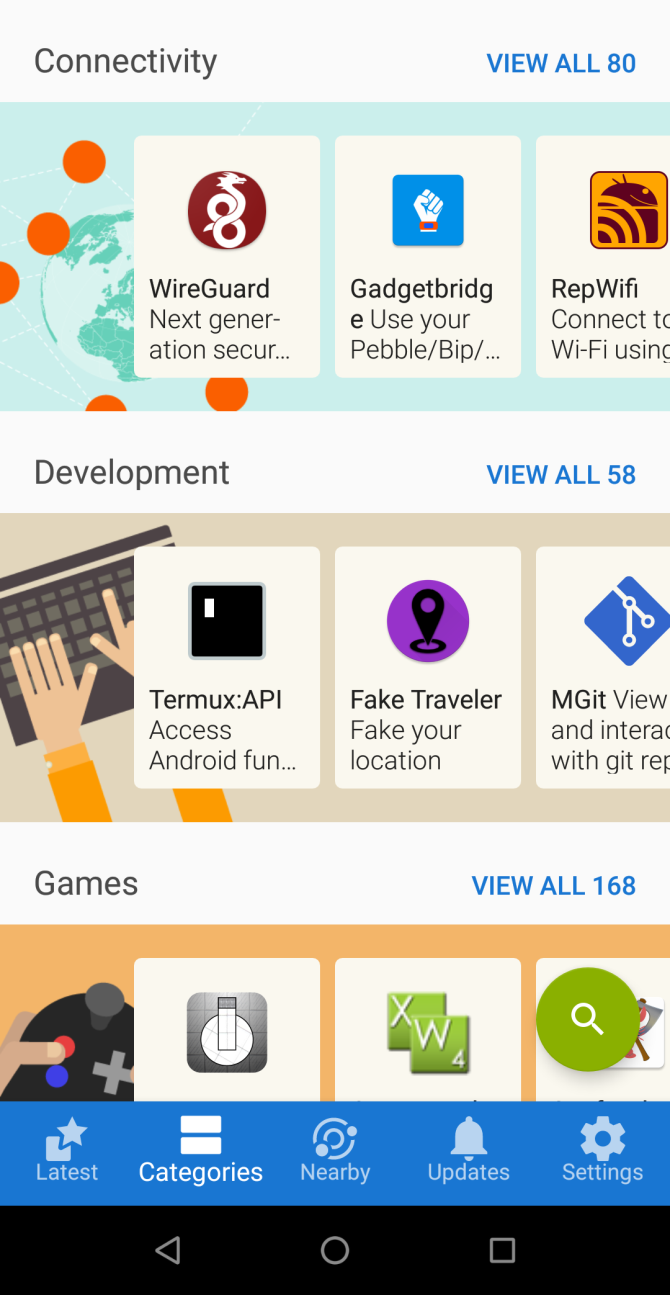
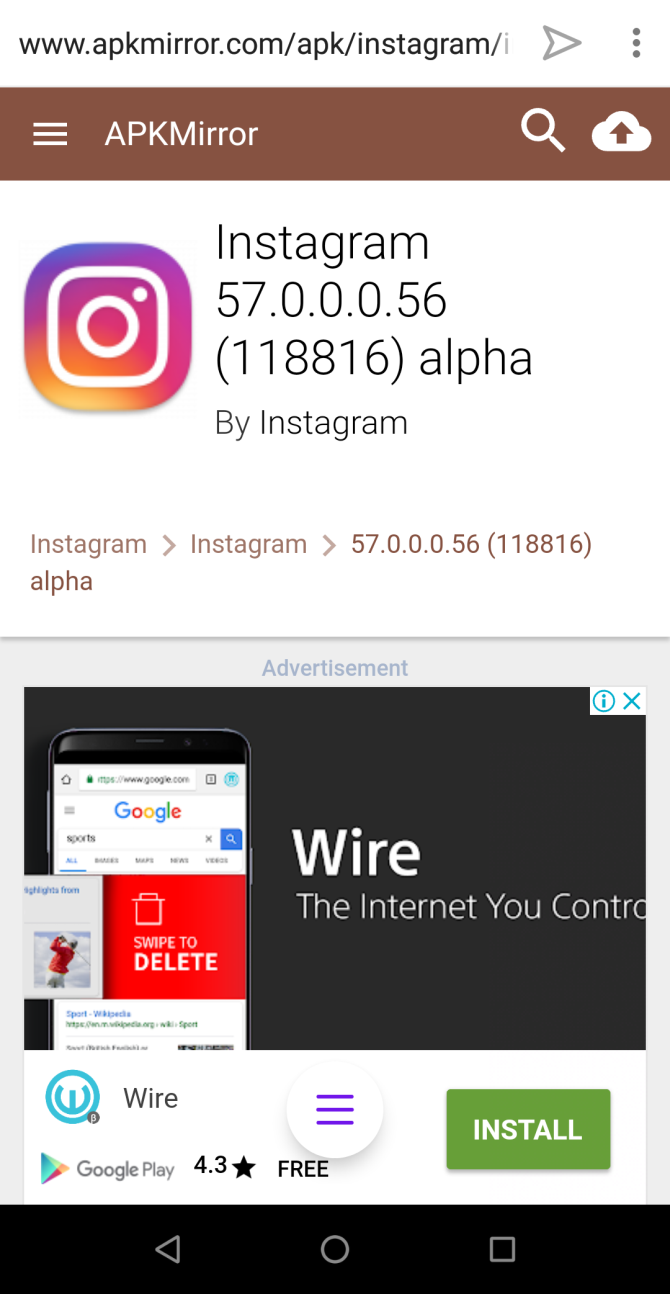
Google usually ban apps that are potentially malicious or deceptive but also object to apps that undermine its business model. Some apps are not available because of geo-restrictions. Also, the newer version of a particular app may not work well or has removed the features you need. You can download such apps from F-Droid and APKMirror.
While you should avoid installing apps from third-party app stores, these two marketplaces are an exception. They’re both community-run software projects and implement strict security practices to keep you safe from malicious apps.
To install the app, you’ve to enable sideloading. Read this guide on how to manually sideload apps on your Android device.
 How to Manually Install or Sideload Apps on AndroidWant to sideload apps on your Android phone? Installing APKs manually on Android opens up a whole new world of apps, and it's easy to do.Read More

2. Old and Discontinued Software

download old version of ccleaner from oldversion site
Upgrading your apps to a newer version can sometimes cause problems. It may not be compatible with older OS, may get bundled with adware and nefarious APIs, and more. You can download an older copy of the app for free from OldVersion and OldApps.
Click the name of your app and select the version you want to download. Just make sure that the app meets the system requirements and is free from bloatware. We don’t recommend that you install outdated browsers as it puts your PC at risk.

3. Websites Taken Down From the Web

wayback machine home page
Websites vanish from the web every day—perhaps abandoned by the creators, banned due to legal problems, or pulled down due to hacking attempts. Wayback Machine is a digital archive of web content, that takes snapshots of a website at regular intervals and makes them available to anyone.
The free Wayback Machine Downloader lets you download an entire website from the Internet Archive. You need to install Ruby on your system, then run this command:
gem install wayback_machine_downloader
download website with wayback machine downloader
Once installed, run your app with the base URL you want to retrieve as a parameter
wayback_machine_downloader [base_URL]
Apart from saving a copy of the old website, there are many other types of content to download at the Internet Archive.

How to Download Content Without Paying Anything

4. Get Personalized Ringtones

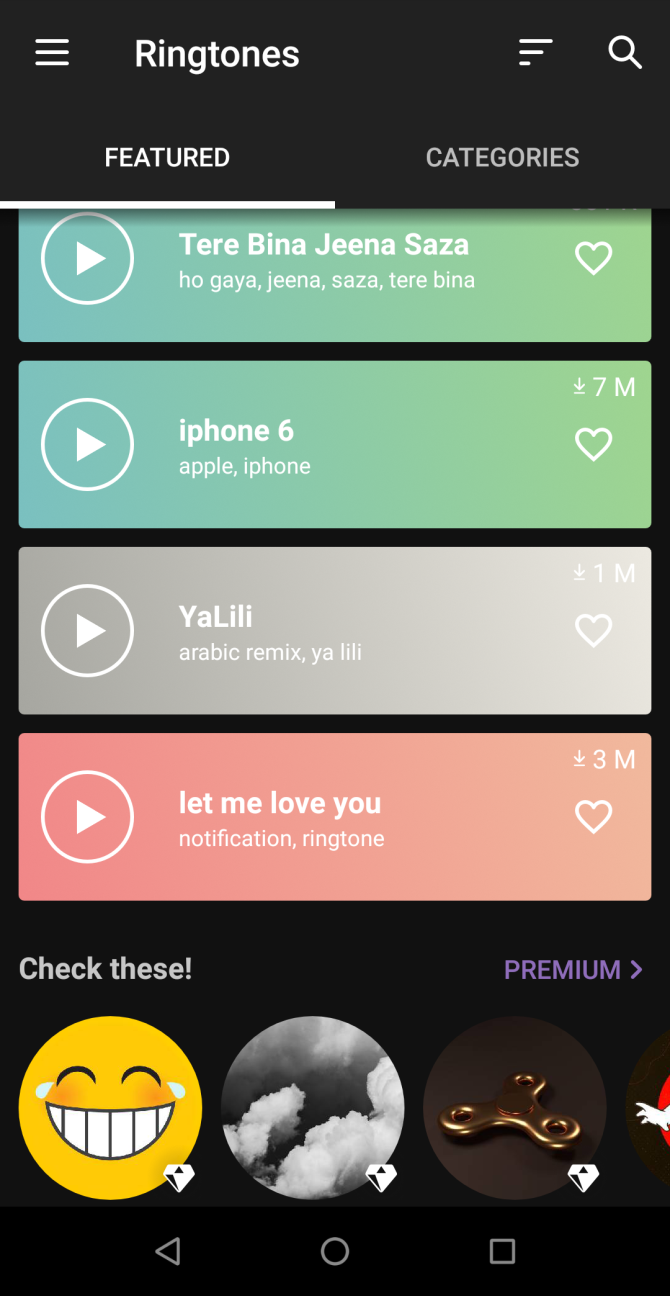
Default ringtones that come pre-installed with your device are boring. Personalized tones are popular, but you may have to pay for them. To make your phone sound more interesting, try these apps.
Zedge has more than a million free ringtones to download via its website or the app. It comes with built-in tools to save your favorite ringtones in personal lists and access them from any device.
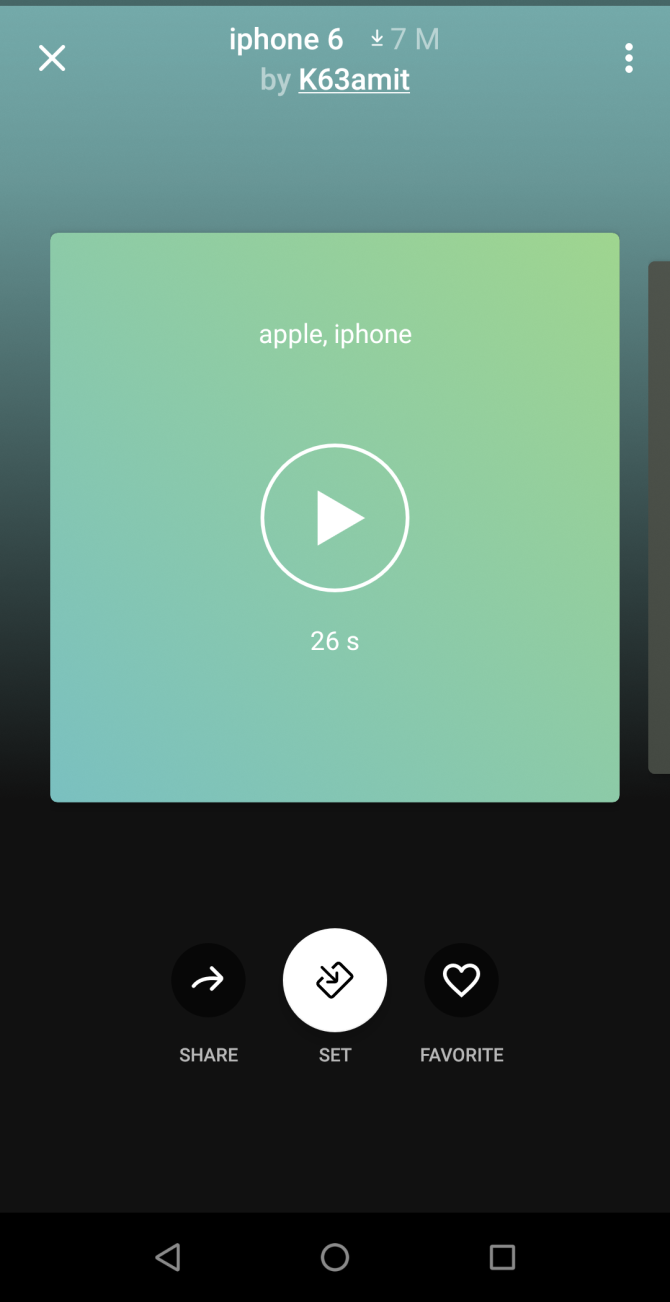
After downloading your ringtone, tap the Set button to set it as a default ringtone, notification sounds, and personalized contact ringtones.
Download: Zedge for Android | Zedge for iOS (Free, premium version available)
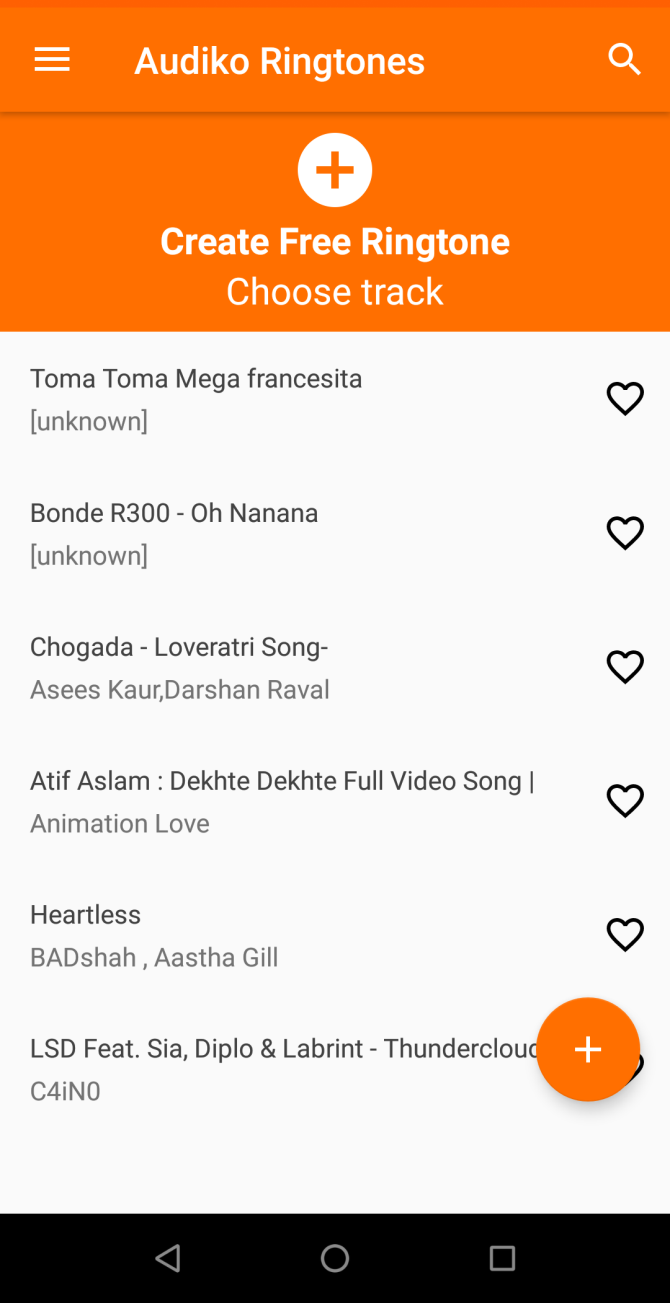
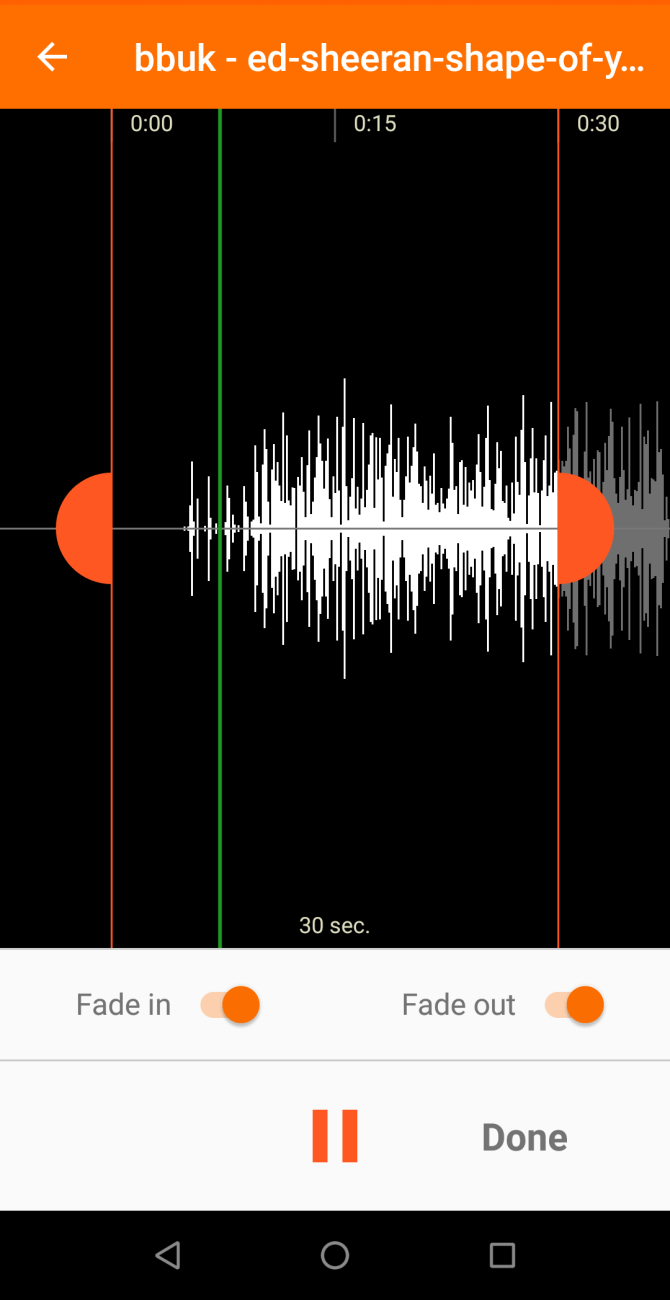
Audiko has an impressive collection of ringtones from every genre. You can download the ringtone either from the website or the app. But Audiko also lets you upload your favorite track, cut the audio segment, and download it to your phone. You don’t need third-party apps or music editing skills to create your personalized ringtone.
Download: Audiko for Android (Free, subscription available)

5. Audiobooks From Every Genre

If you’re fond of classic literature, then you can get ebooks for free, but the audiobooks version is still pricey. To get free audiobooks, try the LibriVox site and its app.
LibriVox provides free audiobooks for books that are in the public domain. It features classic best sellers and out of print books or journals from every genre in more than 30 languages. Both the site and app give you options to browse the catalog by author, title, genre, and subject.
The free apps let you browse catalogs by favorite lists. Try the “Best of Sherlock Holmes”, “National Geographic’s” archived articles, sci-fi novels, and much more.
Download: LibriVox for Android | LibriVox for iOS (Free, subscription available)

6. Paid Software for Free

There’s no doubt that the premium version of an app offers more features and customer support without any bloatware. But do you know, it’s possible to download paid apps for Windows, Mac, and that too free.
Giveaway of the Day offers free licensed software for Windows, Android, iPhones, and Games you’d have to buy otherwise every day. The deal runs for 24 hours or more. The vendor gives you the license keys and is completely legal, although there could be some limitations. Just subscribe to their newsletter or RSS for periodic updates.
giveaway of the day deal page
Malwaretips Forum is full of tech enthusiasts who regularly share giveaways and discounts. You’ll find some security related apps, including Malwarebytes, Glasswire firewall for Windows, and much more. Register in the forum and subscribe to their notification channels.
malwaretips giveaway forum site
If you’re hungry for more free apps, try these tips and tricks to find Mac and iOS App Store discounts.
 6 Ways to Find Mac and iPhone App Store DiscountsWant to get Mac and iPhone apps on sale and track the best discounts on the App Store? These tips, tricks, and services can provide big savings.Read More

7. Download Commercial Games for Free

Popular games for Windows and Mac sometimes cost a lot of money. But there’s always a chance you can get fantastic game titles for free. Visit this dedicated Wikipedia list of commercial games released as freeware. You’ll see dozens and more titles listed with the download links in the footnote at the bottom.
We also recommend /r/FreeGames and /r/FreeGamesOnSteam on Reddit for all kinds of freebie offers and deals. Often, big game publishers like Steam, GOG also release free titles to attract customers. To know more, read how to download premium games for free with these sites.
 How to Get Free PC Games: 4 Sites to Download Premium GamesWant great games, but don't want to pay? Here are the best sites to download premium games for free.Read More

How to Download Without a Download Button

8. Wikipedia and TED Talks

offline wikitionary in kiwix app
Having offline access to Wikipedia, TED, and more is helpful in places where internet connectivity is poor or heavily censored. You just need extra storage space on your PC and bandwidth to download your files.
Kiwix is a free app that lets you search and read the whole encyclopedia. Navigate to Kiwix Internal wiki library and download the ZIM file. Then browse the articles from within the app. The wiki library also lets you download complete TED talks, StackExchange sites, Wikipedia sister sites, and more.
Download: Kiwix for Android | Kiwix for iOS (Free)

9. Download Images in Bulk From a Web Page

Saving multiple pictures from a web page in one fell sweep is tedious. But there is a way to download multiple pictures from a web page for free. Try out these helpful extensions to save time and hassle.
Imageye Image downloader for Chrome lets you find and download all images on a web page with a single click. The extension has a built-in filter to select criteria for image size, URL, and dimensions. It also supports Facebook, Twitter, Google Images, and more.
imageye downloader for chrome
Download all Images for Firefox allows you to find, filter, and save all images in the opened tab. The filtering tool is powerful. You can limit pictures based on their dimension, size, and image type. It’s also possible to use custom regular expression filter to filter images based on the URL.
download all images settings pane firefox

10. Capture Audio From Any Website

We all want to own copies of cool stuff you hear every day. While downloading audio from the browser is simple, capturing live radio shows, web-based voice calls, or podcasts is not easy.
Chrome Audio Capture lets you record any audio that’s playing in the opened tab, and save it to your computer in MP3 or WAV file format. Click the Start Capture button to start recording. You can save or cancel recording at any time and also mute tabs to avoid audio spoilers.
chrome audio capture extension for chrome
The maximum capture time is 20 minutes. If you have longer duration audio, you can either continue the recording and sacrifice audio quality or stop and restart the capture.

11. Download Photos and Videos From Instagram

Instagram lets you request a file containing every photo and video you’ve shared on the site.
  1. On the desktop, click the Profile icon in the upper right corner of the screen.
  2. Click the Settings gear next to the Edit Profile button.
  3. From the menu, choose Privacy and Security.
  4. Scroll down to the Data Download button header and click Request Download.
download data from instagram
DownloadGram allows you to download your own/someone else photos on mobile and web. If the photo is yours, tap the three-dot button above the post and choose Share > Copy Link. To download someone else’s photos, tap the three-dot button again and select Copy Link.
Open the browser and paste the link to save the image. If you want to download videos, then follow these tips on how to download videos from Instagram.
 7 Free Ways to Download Instagram VideosDo you want to download Instagram videos? Here's how to save a video from Instagram with the best free Instagram video downloaders.Read More

12. Photo Albums From Flickr

Flickr is a popular service for saving and sharing photos online. In their blog post, they announced that free members can store up to 1000 photos of 200MB each. Before downloading anything from Flickr, remember to respect the copyright and give due credit to the photographer wherever possible.
To download multiple pictures, click the username of another Flickr member, and choose Albums. Hover your mouse or click the album thumbnail to make a download icon appear. Click this, then select Create zip file. A download link will appear after some time.
batch download photos from flickr

You Can Download (Almost) Anything Online

With so much stuff online, you can download anything for free online. With the advent of streaming services, the curiosity to download music and movies from illegal torrent sites has been considerably reduced.
Apart from popular streaming services. check out these sites to download free music and brilliant movies from the public domain.
 7 Sites Where You Can Download Free Music (Legally!)If you're the type of person who loves tending to a vast music collection, there are still ways to get free music. Here are seven websites to get you started...Read More

Mitra-mandal Privacy Policy

This privacy policy has been compiled to better serve those who are concerned with how their  'Personally Identifiable Inform...